
"The use of sound to enhance web-based lecture support materials"
Led by Dr Paul Kenyon, University of Plymouth
|
LTSN
workshops on the preparation of web-based lecture support materials
"The use of sound to enhance web-based lecture support materials" Led by Dr Paul Kenyon, University of Plymouth |
In this section of the workshop you will:
| Action | Screen display |
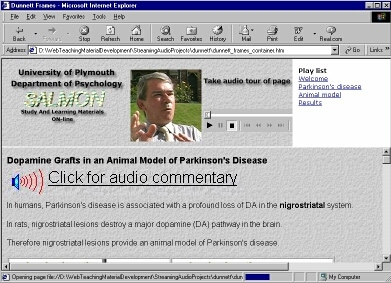
The example page contains two types of page link that allow users to jump to a particular section of a streamed audio commentary.
Both links jump to markers in the streamed audio file. We will examine how a web page can be programmed to utilize markers in streamed audio files. |
 |
Using markers to jump to sections in a streaming audio file
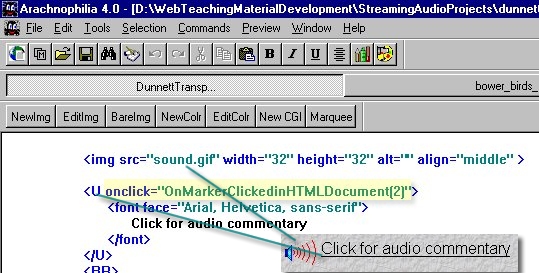
As the name suggests, markers are used to indicate significant transitions within an audio file.
In an earlier part of this workshop you used Windows Media ASF Indexer to insert markers in bower_birds.asf to mark the audio commentary shifting between types of bower birds. .
| Action | Screen display |
|
 |
| Action | Screen display |
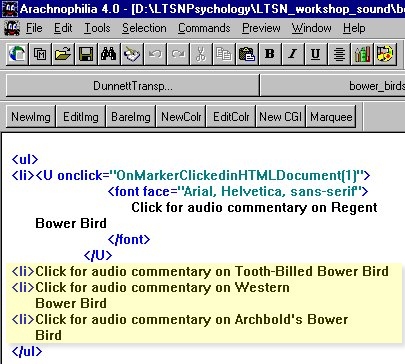
You are now going to add this capability to a file you created earlier. |
 |
| Action | Screen display |
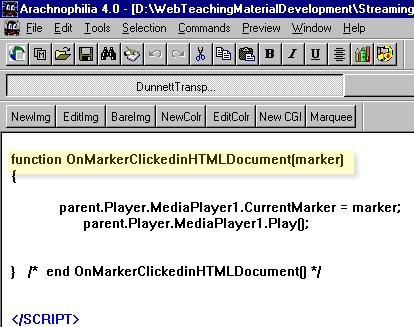
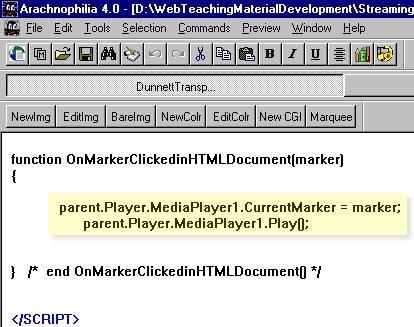
To help you save time, I have included the function OnMarkerClickedinHTMLDocument(marker) at the top of the file.
|
 |
The Document Object Model (DOM)
| Up to this point I have kept
quiet about the DOM but I need to explain what it is so that you
can use the examples in this workshop in your own web pages.
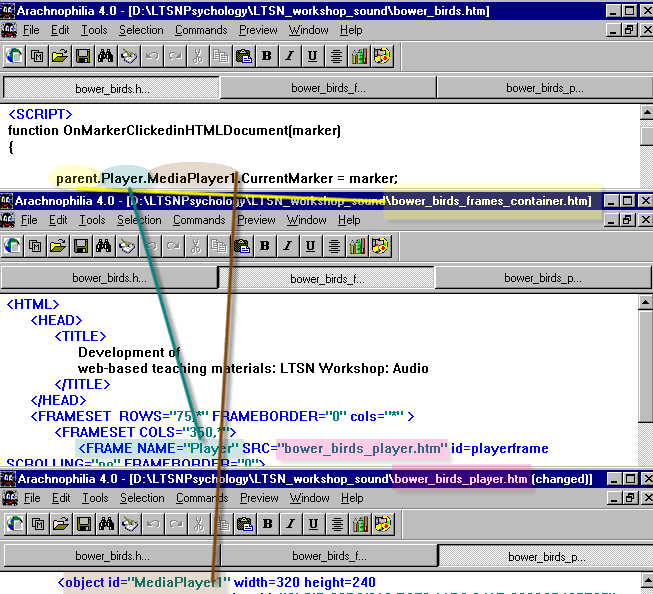
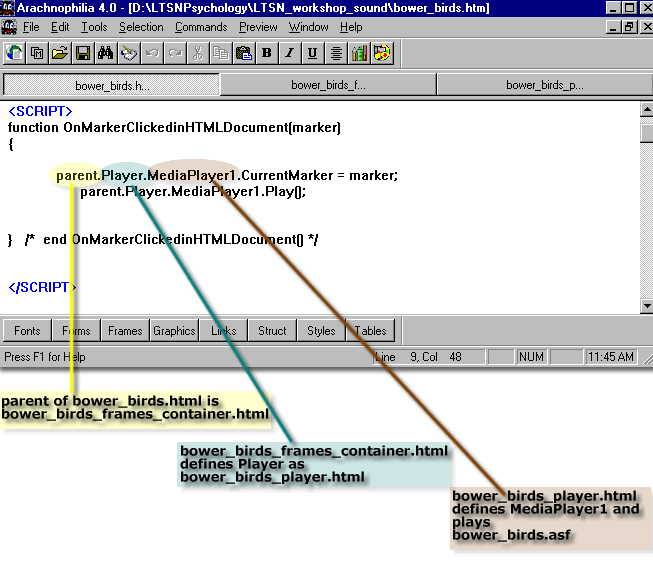
If necessary open the file bower_birds.htm in a text based HTML editor such as Arcachnophilia. You need to appreciate that parent.Player.MediaPlayer1 referred to by the JavaScript function OnMarkerClickedinHTMLDocument() in the document bower_birds.htm refers to an object called MediaPlayer1 . The term parent.Player describes how to find MediaPlayer1. The file bower_birds.htm passes a parameter (marker) to parent.Player.MediaPlayer1. But the actual object MediaPlayer1 exists in a different document. The route to the object involves going back to the parent of the document bower_birds.htm. Inside the parent document is a reference to an object called Player. In this case the Player object is the document bower_birds_player.html which contains an object called MediaPlayer1 |
 |
| Here is one way of visualizing the route to parent.Player.MediaPlayer1 |
 |
| Here is an alternative way of visualizing the route to parent.Player.MediaPlayer1 |
 |
Using Script Commands in
conjection with the Separator and Overlayer Tools
 In an earlier workshop you discovered how to construct a complex
graphic describing the results of an experiment involving multiple groups of
subjects. You should be familiar with this material before tackling the
activities presented in this section of the workshop.
In an earlier workshop you discovered how to construct a complex
graphic describing the results of an experiment involving multiple groups of
subjects. You should be familiar with this material before tackling the
activities presented in this section of the workshop.
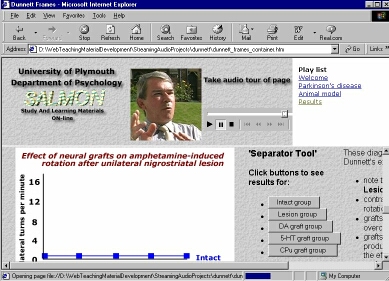
We can use Script Commands embedded within a streamed audio file to control the Separator and Overlayer Tools. This allows us to progressively reveal visual elements in tempo with a spoken description of the experimental findings.
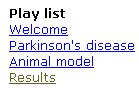 Launch this
web page in order to see how streamed audio can be used to
control images displayed on a web page. Click on the Results section in
the Play list to see and hear how Script Commands embedded in an ASF streaming
audio file can be used to alter the image shown to the end user.
Launch this
web page in order to see how streamed audio can be used to
control images displayed on a web page. Click on the Results section in
the Play list to see and hear how Script Commands embedded in an ASF streaming
audio file can be used to alter the image shown to the end user.
Be aware that we are going to use Script Commands to take control of what the user sees and hears on a web page. This is in sharp contrast to our use of Markers. We used Markers to give users control of their auditory experience. We are going to use Script Commands to control the users experience.
| Action |
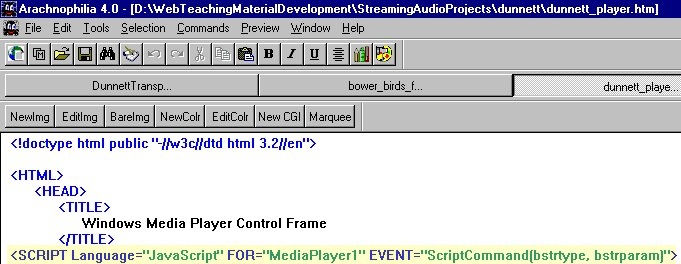
This line sets up MediaPlayer1 to deal with the Script Command parameters bstrtype and bstrparam produced by a streaming audio file |
|
Screen display
|
 |
 In an earlier
workshop activity you learned to use Windows Media ASF Indexer
to put Script Commands into an ASF file
In an earlier
workshop activity you learned to use Windows Media ASF Indexer
to put Script Commands into an ASF file
| Action |
|
|
Screen display
|
 |
| Action |
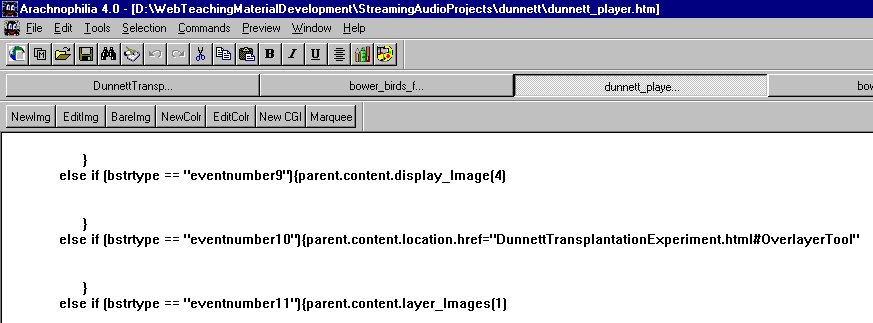
You should be familiar with the format of the code that processes "eventnumber10" in the ASF stream. When "eventnumber10" arrives, the user is shown the section of the web page named OverlayerTool in the web page DunnettTransplantationExperiment.html The techniques used to deal with "eventnumber9" and "eventnumber11" may be unfamiliar. When MediaPlayer1 encounters "eventnumber9" in the stream it passes the value 4 to the function called display_Image() in a Frame named "content" When MediaPlayer1 encounters "eventnumber11" in the stream it passes the value 1 to the function called layer_images() in a Frame named "content" |
| Screen display | 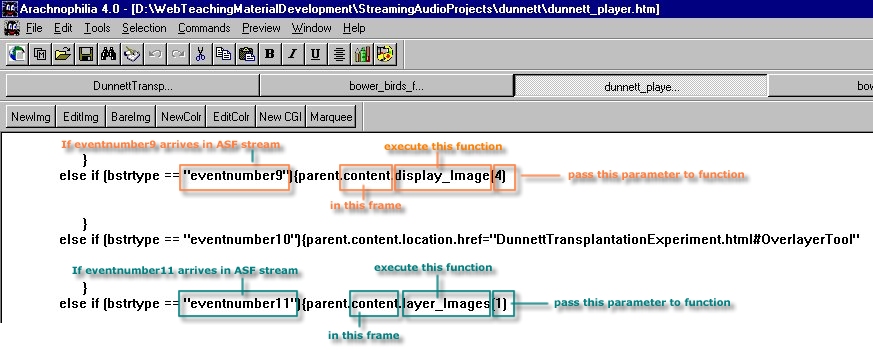 |
|
Action
|
In order to examine the functions display_Image() and layer_Images() you need to know the identity of the HTML file displayed in the Frame called 'content'.
|
| Screen display | 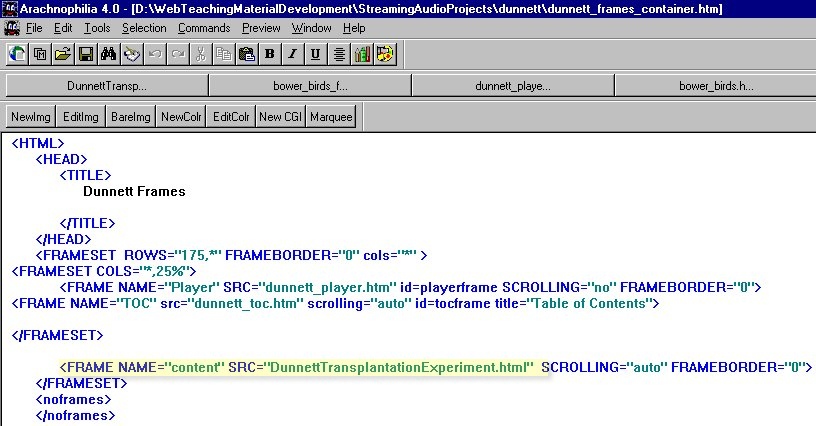 |
|
Action
|
|
| Screen display | 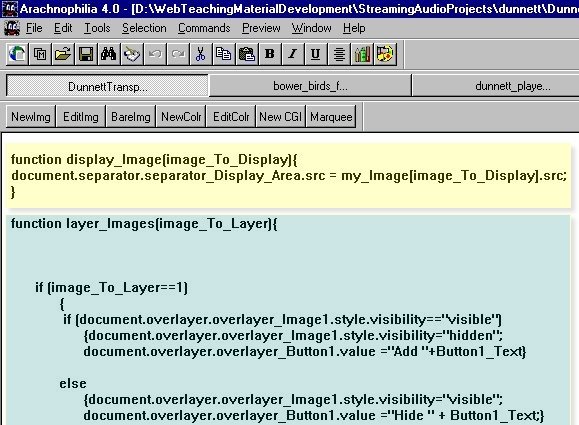 |
|
Action |
This composite image shows how the ASF events handler in dunnet_player.htm relates to the functions we have just uncovered in DunnettTransplantationExperiment.html |
| Screen display | 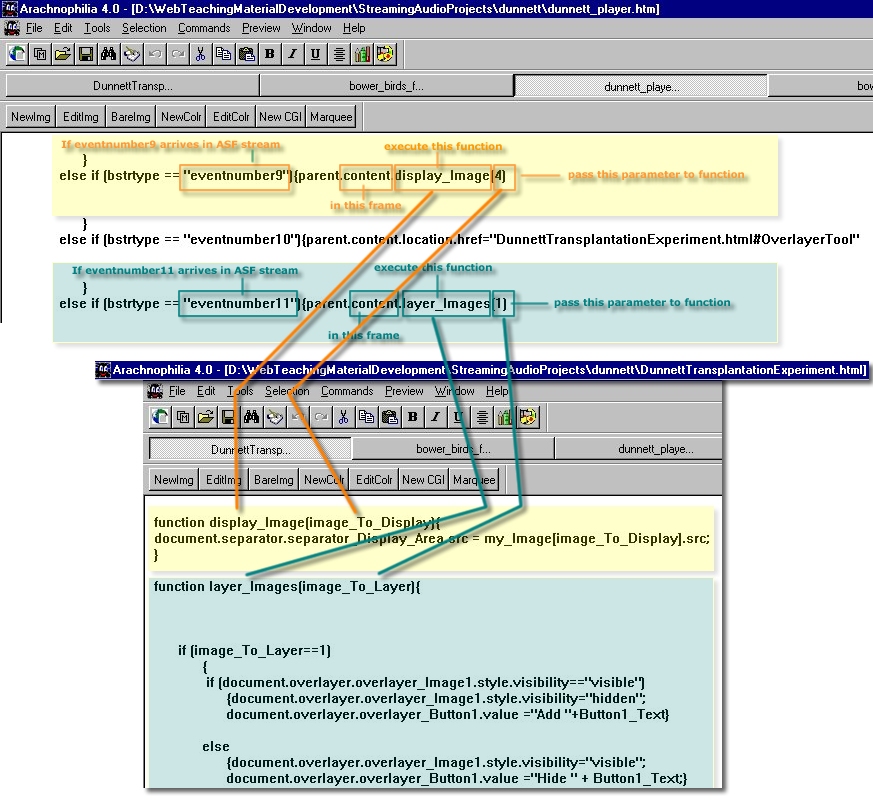 |
Copyright Dr Paul Kenyon, University of Plymouth (2001)
Last modified Friday, May 25, 2001
 sound icon