Learning
and Teaching Support Network (LTSN Psychology) workshops:
The preparation
of web-based lecture support materials.
How to access the Workshop Resources Folder

|
Learning
and Teaching Support Network (LTSN Psychology) workshops: How to access the Workshop Resources Folder
|
|
 |
Use the application WS_FTP to access the folder containing materials used during the hands-on activities. You may find it useful to download these resources onto your workstation. If things go 'pear-shaped' during an activity you can open a clean copy of corrupted files. Feel free to download these items after attending the workshop, and use them as resources in your own web development. |
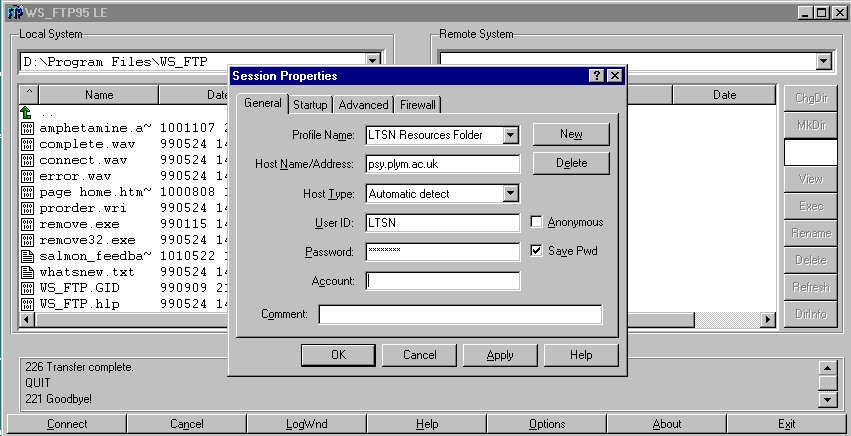
Set up a New Session in WS_FTP to connect to the LTSN Resources Folder using the following Session Properties:
| Profile Name: | LTSN Resources Folder (suggested name) |
| Host Name/Address: | psy.plym.ac.uk |
| User ID: | LTSN |
| Password: | will be supplied at start of workshop |
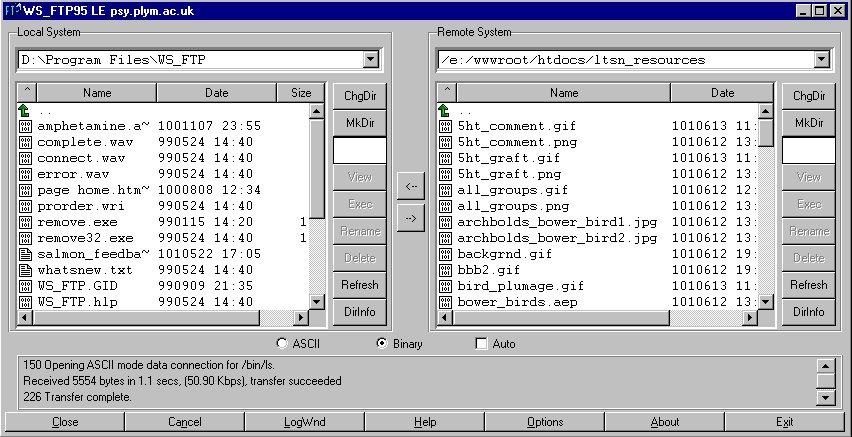
A successful FTP connection will display the contents of the folder wwwroot/htdocs/ltsn_resources on the FTP server (Remote System).
Create a folder on the U: drive of your workstation (Local System) called ltsn_resources and either